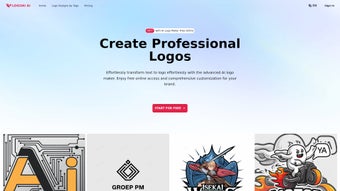

Download LogoAI.ai – AI Powered Logo Design Tool, Free, Secure, Easy
Overview
LogoAI.ai is a cutting‑edge, web‑based logo creation platform that leverages artificial intelligence to transform a simple text prompt into a polished, brand‑ready visual identity. In today’s fast‑moving business environment, time and budget are often the biggest constraints for startups, freelancers, and even established enterprises that need a fresh look. LogoAI.ai eliminates those constraints by offering a streamlined workflow that requires no prior design experience, no expensive software licenses, and no lengthy back‑and‑forth with a professional designer. Users begin by entering their company or product name, selecting an industry from a well‑curated dropdown, and picking a style direction—whether that’s minimalist, bold, vintage, hand‑drawn, or a high‑tech 3‑D aesthetic. Within seconds the AI engine generates a gallery of up to twenty distinct concepts, each rendered with a transparent background and ready for immediate download. What truly sets LogoAI.ai apart is its commitment to delivering watermark‑free assets, granting full commercial rights without hidden fees. The platform also incorporates a “Secure Design” workspace that encrypts user sessions and allows designers to lock drafts with a password, ensuring intellectual property remains private until the moment of export. Because the service runs entirely in the browser, updates are pushed server‑side, meaning users always work with the latest design algorithms and asset libraries without ever needing to install or patch software. Whether you are launching a tech startup, opening a boutique café, or rebranding a community sports team, LogoAI.ai adapts its creative palette to suit any sector, making it a versatile ally for brand development in the digital age.
Key Features
LogoAI.ai packs a powerful set of capabilities into an intuitive, browser‑only interface. Below is a deeper look at the most compelling functionalities that make the tool stand out for both beginners and seasoned marketers.
- AI‑Generated Concepts in Seconds: Input your brand name and industry, and receive up to 20 unique logo variations within 30 seconds, dramatically cutting the ideation phase.
- Extensive Style Library: Choose from minimalist, geometric, hand‑drawn, 3‑D, vintage, and sport‑oriented templates, each crafted to match specific brand personalities.
- Transparent Background Export: All logos are delivered with clear PNG or SVG backgrounds, enabling seamless integration across websites, social media, merchandise, and print collateral.
- Watermark‑Free Delivery: Every exported file is free of watermarks, granting full commercial rights and eliminating the need for additional licensing.
- Secure Design Workspace: Encrypted session handling protects drafts, and a password‑lock feature adds an extra layer of privacy for sensitive projects.
- Unlimited Real‑Time Revisions: Adjust colors, fonts, icons, and layout on the fly; the AI instantly re‑optimizes the design, allowing endless experimentation.
- Cross‑Platform Accessibility: Works on any modern browser—including Chrome, Edge, Firefox, Safari, and mobile browsers on Android and iOS—without installations or plug‑ins.
- One‑Click Branding Kit: Export a complete brand package that includes logo variations, favicons, social‑media avatars, and business‑card mockups with a single click.
- Free Tier & Affordable Upgrades: Generate basic logos for free; premium packages unlock high‑resolution files, vector editing, and extended branding assets.
- Continuous AI Updates: Monthly algorithm enhancements keep the design engine aligned with current trends and improve accuracy over time.
Installation, Usage & Compatibility
Because LogoAI.ai is a cloud‑native service, there is no traditional installation process to speak of. Users simply open a supported web browser, navigate to logoai.ai, and begin creating. The onboarding flow has been deliberately kept minimal to reduce friction for new users. After landing on the homepage, click the “Create Your Logo” button, type your company name, select the industry, and pick a style. The AI then produces a gallery of concepts that can be filtered, liked, or discarded.
Step‑by‑step usage guide:
- Launch the site: Open Chrome, Firefox, Edge, Safari, or any Chromium‑based mobile browser on Windows, macOS, Linux, Android, or iOS.
- Enter brand details: Provide the text, optional tagline, and choose a sector such as Technology, Sports, Food & Beverage, Religion, or Education.
- Select a design direction: Pick from style tiles like Minimalist, Bold, Retro, Hand‑Drawn, or 3‑D.
- Review AI suggestions: Scroll through auto‑generated thumbnails; hover to enlarge and see finer details.
- Customize in real time: Use the side panel to tweak color palettes, swap fonts, adjust icon size, or replace symbols. Every change triggers an instant AI re‑render.
- Secure your draft: Click “Lock Design” to encrypt the session with a password, ensuring only you can access the work.
- Export your assets: When satisfied, click “Download” to receive PNG, SVG, or PDF files. Premium users also receive EPS vectors for advanced editing.
Compatibility: Since the application runs entirely in the browser, it is fully compatible with Windows 10/11, macOS Ventura and later, popular Linux distributions (Ubuntu, Fedora, etc.), as well as Android 12+ and iOS 15+ browsers. No additional runtimes, plug‑ins, or downloads are required, making it ideal for creators who move between desktop and mobile devices throughout the day.
Pros, Cons, FAQ & Conclusion
Pros
- Instant AI generation saves hours compared to manual design.
- No software download; works on any device with a modern browser.
- Transparent, watermark‑free assets give full commercial freedom.
- Secure design workspace protects intellectual property.
- Rich style library accommodates diverse industry needs.
- Free tier allows testing before committing to a paid plan.
- One‑click export of a complete branding kit simplifies rollout.
Cons
- Advanced vector editing is limited to premium users.
- AI may occasionally suggest generic symbols that need manual refinement.
- Internet connection is required; offline work is not supported.
- Customization options, while extensive, are not as deep as professional design suites (e.g., Adobe Illustrator).
- Pricing for high‑resolution assets can be higher for small startups on a tight budget.
Frequently Asked Questions
Is LogoAI.ai really free to use?
LogoAI.ai offers a free tier that lets you generate and download low‑resolution PNG logos without watermarks. For high‑resolution files, vector formats, and the full branding kit, a paid plan is required.
Can I edit the logo after I download it?
Yes. Exported PNGs can be edited in any raster editor (e.g., Photoshop, GIMP). If you need true vector editing, you’ll need the premium plan to obtain SVG or EPS files, which can be opened in Illustrator, Inkscape, or other vector tools.
Is my design data safe on LogoAI.ai?
The platform uses SSL encryption for all data transmission and offers a “Secure Design” option that locks your draft with a password. This ensures that only you can access and edit your logo until you choose to export it.
Do I need any design skills to use LogoAI.ai?
No. The AI engine handles the heavy lifting. You only need to provide basic inputs (name, industry, style preference) and make simple tweaks using the intuitive side panel. Even a complete beginner can produce a professional‑looking logo within minutes.
Can I use the generated logo for commercial purposes?
Absolutely. All logos created on LogoAI.ai are delivered without watermarks and come with full commercial rights, so you can place them on websites, merchandise, advertisements, and any other revenue‑generating material.
Conclusion & Call to Action
LogoAI.ai bridges the gap between costly professional designers and do‑it‑yourself graphic tools by delivering an AI‑driven, browser‑based solution that produces high‑quality, watermark‑free logos in minutes. Its extensive style library, secure workspace, and cross‑platform compatibility make it an attractive option for startups, small businesses, and even larger enterprises seeking rapid brand iteration. While power users may still prefer dedicated vector suites for deep customization, the trade‑off of speed, cost‑effectiveness, and ease of use is compelling. If you’re looking for a fast, secure, and affordable way to generate a brand‑ready logo—whether you’re launching a tech startup, a sports club, or a faith‑based organization—LogoAI.ai is worth a try. Click the button below to start your free design session, lock in your favorite concept, and download a professional logo that you own outright.
Overall Rating: 4.5/5
Pros: Fast AI generation, no watermark, secure design, free tier.
Cons: Limited vector editing on free plan, requires internet.



.png)



